Image to mind map

Turn an image into a mind map

Upload a photo, scan, or screenshot and make its concepts visible.

Upload the image

Choose an image or drop it here

JPG, PNG, WEBP, HEIC, or HEIF

The map remains editable

AI organizes, you verify

You stay in control of the result

Processing time depends on the file’s length and format

How we handle your data

At a glance

What is an image-to-mind-map tool?

An image-to-mind-map tool turns the content of a photo, scan, or screenshot into a structure of concepts. Kiuwo helps move from visual information that is hard to reorganize to a map you can read and edit.
How it works

From image to concepts

Kiuwo reads the visual content and organizes it into a clear structure for studying, reviewing, or working.

  1. 1

    Start from the source

    Upload the image

    Upload one of the listed file formats. The original material remains the starting point for the map.

  2. 2

    Organize

    From image to concepts

    Kiuwo reads the visual content and organizes it into a clear structure for studying, reviewing, or working.

  3. 3

    Check and reuse

    Explore and edit the generated mind map.

    Check the concepts, change the structure, and adapt the map to your goal. The result is not something you have to accept passively.

A concrete result

From the source to a map you can control

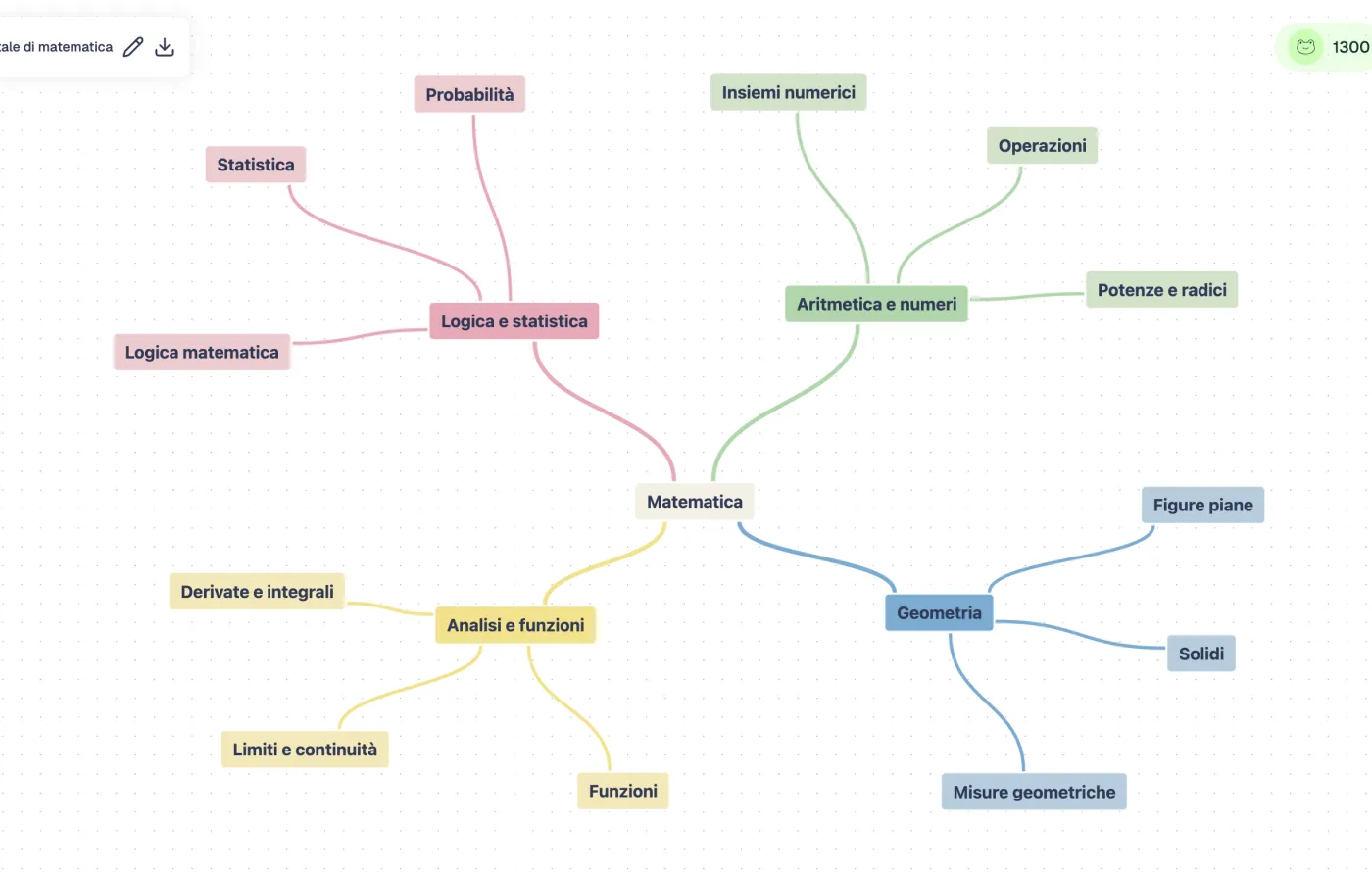
Kiuwo makes concepts, hierarchies, and relationships visible in an editable map. Start from the overview, then return to the details when you need them.

Real example of an editable mind map in Kiuwo
Real example of the Kiuwo workspace

Why it helps

Why turn an image into a mind map?

Recover visual content

Make boards, photographed pages, diagrams, and information-rich screenshots easier to revisit.

Give a scan more structure

Turn a visual source into concepts and connections that are easier to follow.

Study from photos and diagrams

Bring materials captured on the go into a structure you can review and complete.

Edit the first interpretation

Use the map as a base and correct or expand concepts for your needs.

Use cases

When to use an image mind map

The same workflow can help you understand, organize, or reuse material in different contexts.

Whiteboard photos

Keep and organize ideas, diagrams, and connections from a lesson or meeting.

Scans and handouts

Make a photographed page easier to navigate when you need its main structure.

Screenshots

Turn screens with text, diagrams, or instructions into a base you can explore.

Study materials

Organize photographed maps, tables, and diagrams for clearer review.

Frequently asked questions about image mind maps

Keep exploring

Organize your text sources too

For digital materials, use Kiuwo tools for PDFs, text, and notes.