At a glance
What is a PDF mind map?
A PDF mind map turns a linear document into a visual structure of concepts, hierarchies, and connections. Kiuwo helps you move from pages to an overview you can explore and edit.
PDF to mind map
Upload a PDF and move from linear reading to a clear, editable overview connected to its sources.
The map remains editable
AI organizes, you verify
You stay in control of the result
Processing time depends on the file’s length and format
At a glance
A PDF mind map turns a linear document into a visual structure of concepts, hierarchies, and connections. Kiuwo helps you move from pages to an overview you can explore and edit.
How it works
Kiuwo identifies the document’s key concepts and organizes them into branches you can explore and rework.
Start from the source
Upload one of the listed file formats. The original material remains the starting point for the map.
Organize
Kiuwo identifies the document’s key concepts and organizes them into branches you can explore and rework.
Check and reuse
Check the concepts, change the structure, and adapt the map to your goal. The result is not something you have to accept passively.
A concrete result
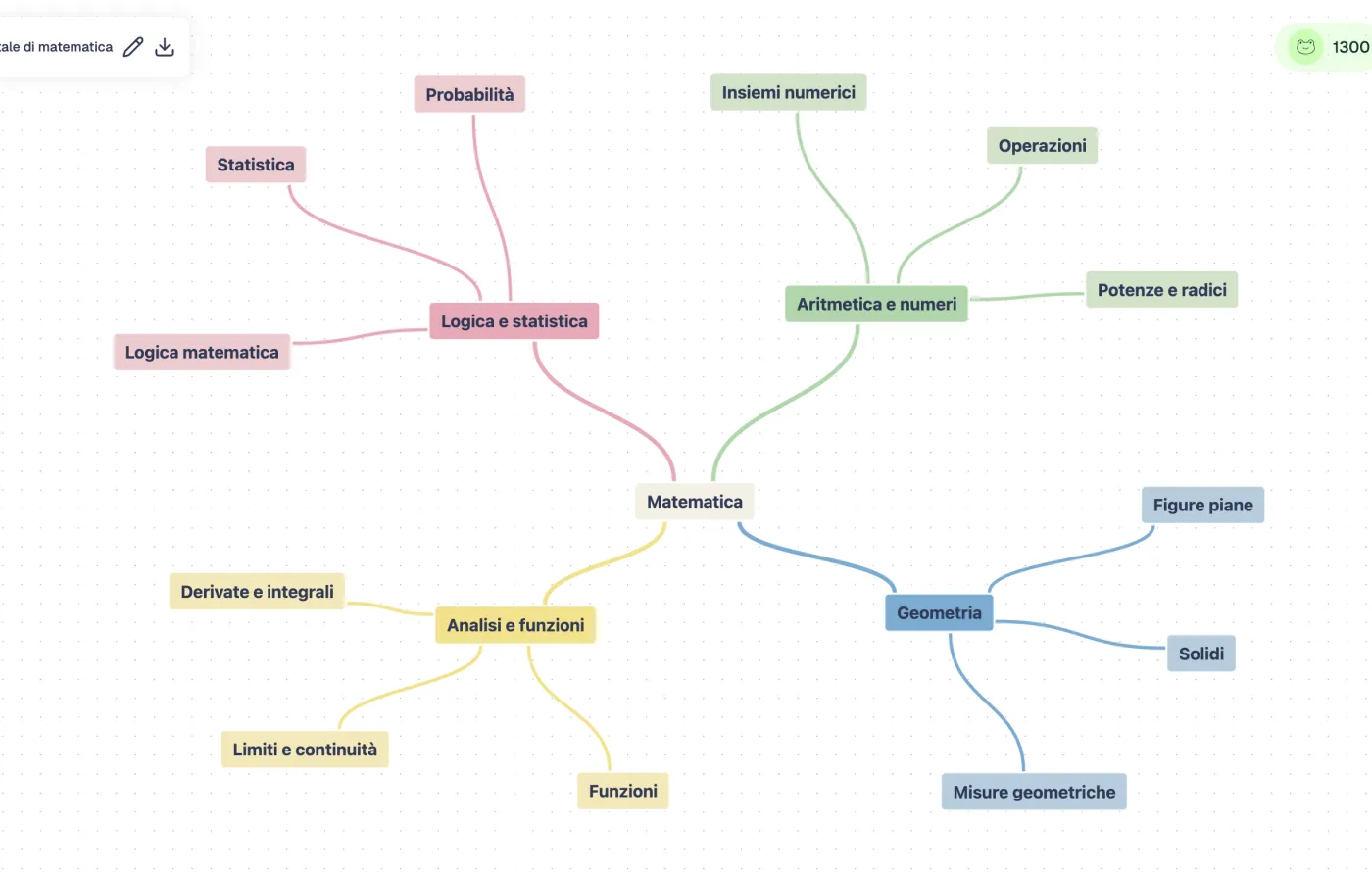
Kiuwo makes concepts, hierarchies, and relationships visible in an editable map. Start from the overview, then return to the details when you need them.
Why it helps
Find main themes, subtopics, and relationships without moving through pages one by one.
Use the map to orient yourself in chapters, handouts, and complex materials.
The map starts from the original document and gives you a path back to details when needed.
Reorganize concepts and connections to build a structure for your specific goal.
Use cases
The same workflow can help you understand, organize, or reuse material in different contexts.
Turn chapters, handouts, and course notes into a map for exam review.
Organize reports, guidelines, and work documents before analyzing them in depth.
Make the structure of a lesson or teaching material easier to explain.
Create a shared overview of a document without making everyone read it in the same way.
Keep exploring
Create maps from text, notes, images, audio, and presentations to organize different sources in the same workspace.